
Web Portal
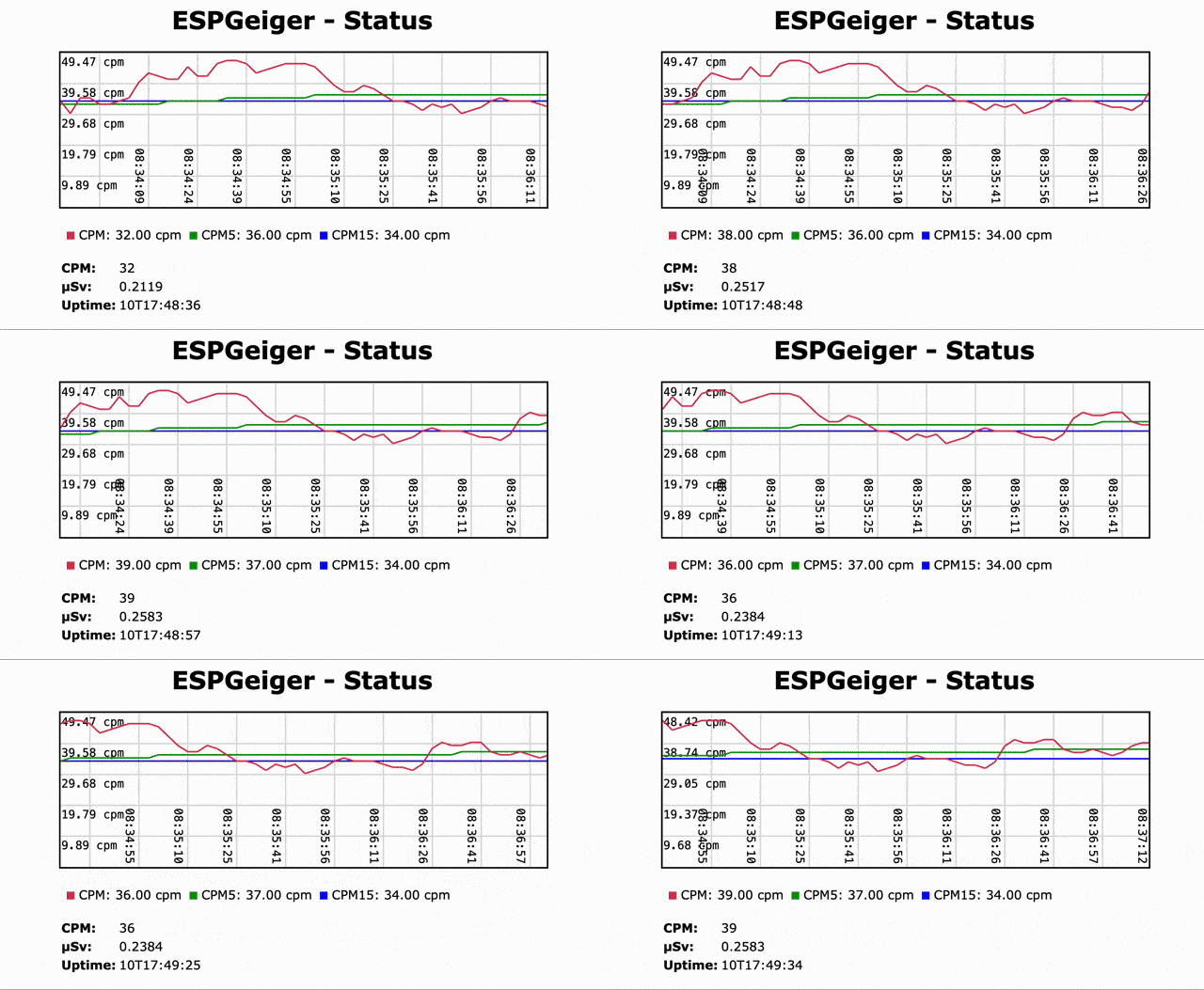
ESPGeiger comes with a built-in Web Portal that lets you configure your device and view the live readings and status output from your laptop or mobile device.
Configuring your device
The main page has buttons to reach each area of configuration:
- Config - all general device and output settings. See the Configuration reference for the full list of options, value ranges and defaults.
- Network Config - Wi-Fi, static IP, time zone and NTP server. See /network page and Time and NTP.
- HV Config - high-voltage tuning for ESPGeiger-HW boards. See HV Configuration.
Live blip indicator on /status
The coloured dot next to the CPM reading on the /status page is a synchronised mirror of the NeoPixel output - it flashes at a rate proportional to the CPM-vs-CPM5 ratio and changes colour based on a Poisson z-score against the 5-minute baseline. See the NeoPixel page for the colour table and full derivation.
It’s an “activity trend” indicator rather than a per-click visualization. For per-click visual feedback, see the blip LED on supported builds.
Console log
The Status page includes a live console tail of the device’s log. Timestamps follow two formats:
HH:MM:SS- wall-clock time (device has synced to NTP and applied its configured timezone). The web UI converts these to your browser’s local timezone so they line up with the graph.HH:MM:SS*- uptime since boot. The trailing asterisk signals that NTP hasn’t synced yet; the time is not wall-clock and the browser should not timezone-shift it. Once NTP syncs, new lines appear without the asterisk.
In offline mode there is no wall-clock and no asterisk - timestamps are plain uptime. The web portal itself isn’t reachable when WiFi is disabled, but the same format appears on the serial console.
HTTP endpoints
The ESPGeiger web portal exposes a number of HTTP endpoints that are useful for integration, scripting, or simply linking to directly from a browser.
| Path | Description |
|---|---|
/ | Main home page |
/status | Detailed device status page (live readings, uptime, build info) |
/hist | Rolling 24 h click history, lifetime totals and inter pulse interval histogram - see History page |
/clicks | JSON feed of the 24 h hourly bucket array plus today/yesterday totals and (when enabled) the lifetime block {clk, fbt, secs} - powers /hist. secs = tracked seconds (CPM denominator, advances only over persisted spans); fbt = first-boot epoch (install age). |
/json | Machine-readable status snapshot - see JSON Endpoint |
/lastdata | GeigerLog-compatible CSV line - see GeigerLog |
/info | Human-readable HTML page with full device + network identity - see /info page |
/about | Build, hardware and module identity, as JSON (useful for support) |
/network | WiFi + static IP + NTP configuration - see /network page |
/outputs | Whether each enabled upload service is working, as JSON |
/hv | High-voltage tuning page (ESPGeiger-HW builds only) |
/cpm?v=N | Set target CPM on test geiger builds - see Test build CPM setter |
/screen | Live display preview (OLED and MAX7219/TM1637 builds) - see OLED |
/export | Streaming base64+CRC32 dump of all prefs (skips sys.web_pass and the net group). UI lives on the Config page’s Backup tab. |
/import (POST) | Apply a previously-exported blob (overlay-only; keys not in the blob are left alone). Reboots on success. |
/life/reset (POST) | Zero the lifetime click counter + first-boot timestamp. Button on /hist. |
/erase | Wipe saved WiFi credentials and reboot into the captive setup portal. Linked from /network → Erase WiFi config. |
/restart | Reboots the device - use with care |
For the /json response schema and examples of integrating /json or /lastdata with external tools (GeigerLog, Home Assistant, Prometheus, InfluxDB, Node-RED, Grafana), see Integrations.
The /outputs and /about response formats are on the HTTP endpoint schemas developer page.
/info page
Human-readable HTML report grouped into expandable sections. Useful as the first stop when raising a support issue or debugging odd behaviour.
| Section | Contents |
|---|---|
| System | Uptime, chip ID, platform, flash size, core/SDK version, CPU frequency, free heap, sketch size, last reset reason. On ESP8266, exception cause / PC / address are shown when the last reset was a crash. |
| Network | SSID, BSSID, signal strength, channel, local IP, gateway, subnet, DNS, MAC, hostname. AP mode shows softAP SSID, IP and MAC instead. |
| Firmware | Version, git hash, build environment, build date, geiger model + type, PCNT availability, test-build flag. |
| Modules | List of compiled-in modules and their runtime state. |
For machine-readable equivalents see /json (live data) and /about (static identity).
/network page
WiFi + IP + NTP configuration, all on a single page. Reachable from the home page or directly via /network.
| Setting | Notes |
|---|---|
| Network dropdown | Live-scanned list of nearby SSIDs. The Rescan button re-runs a fresh scan. |
| SSID | Manual SSID entry. Blank keeps the current network (useful when only changing the password or IP settings). |
| Password | WPA2 password. Blank for open networks. |
| Use static IP | Toggle under Network (advanced). When unchecked the device gets its address by DHCP. When checked the four IP fields below take effect after reboot. |
| IP address / Gateway / Subnet mask | IPv4 fields with client-side validation. Server re-validates at boot; invalid combinations fall back to DHCP. |
| DNS server | Optional. If blank, the gateway is used. |
| Time / NTP | Lazy-loaded section: timezone picker, NTP server, manual time/date entry, DST mode. Pulls a ~4 KB JS payload only when expanded. |
| Erase WiFi config | Under Advanced. Wipes saved credentials and reboots into the captive setup portal. Useful when no hardware reset button is available. |
After Save and reboot, the device tries the new credentials. If the new network is unreachable, the previous one is restored automatically after about a minute.
Test build CPM setter
Test builds (any target whose GEIGER_TYPE has the test bit set, e.g. espgeigerlog_test, esp32_testpulse, espgeigerlite_testpulse) expose /cpm so you can steer the simulated counter from a browser or script. This is useful for exercising downstream integrations (MQTT, Thingspeak, alert thresholds, dashboards) without needing a radiation source.
GET /cpm?v=<target_cpm>
| Parameter | Meaning |
|---|---|
v | Target CPM, up to two decimals (0.4, 2.25). Values ≤ 0 are ignored. |
The internal test counter retargets to generate pulses at the given rate (Poisson-distributed for pulse-type test builds). Response body is OK on success.
Example - set target to 150 CPM:
curl http://192.168.1.100/cpm?v=150
The endpoint is absent from non-test builds.